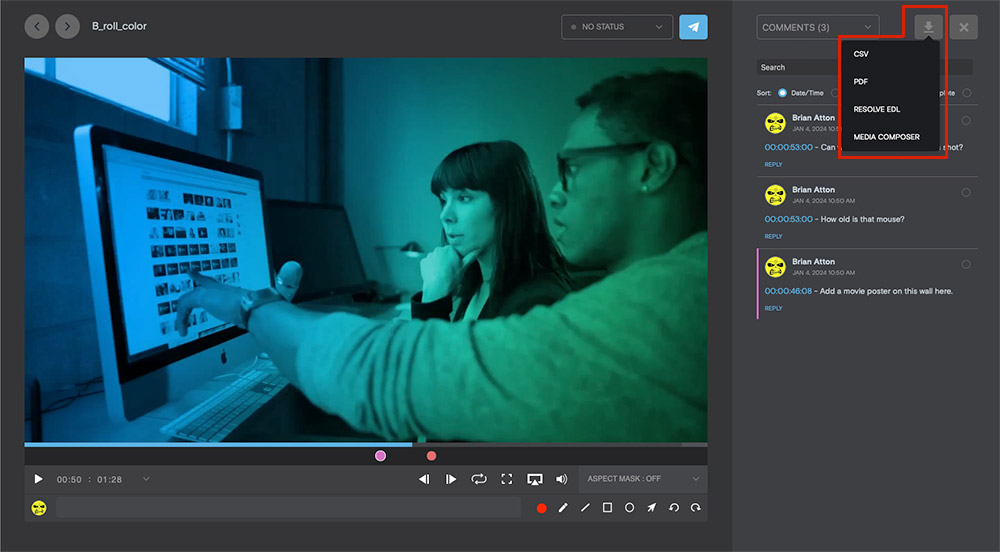
Learn how to export Simian comments to DaVinci and AVID-ready formats
- Within the Project Dashboard, click on an image or video to open the File Detail Screen.
- On the File Detail screen, click into the File Information tab at the top of the right pane and select Comments from the dropdown.
- Click the Download button to reveal export options for CSV, PDF, Resolve EDL and Media Composer.
- Choose the desired format.