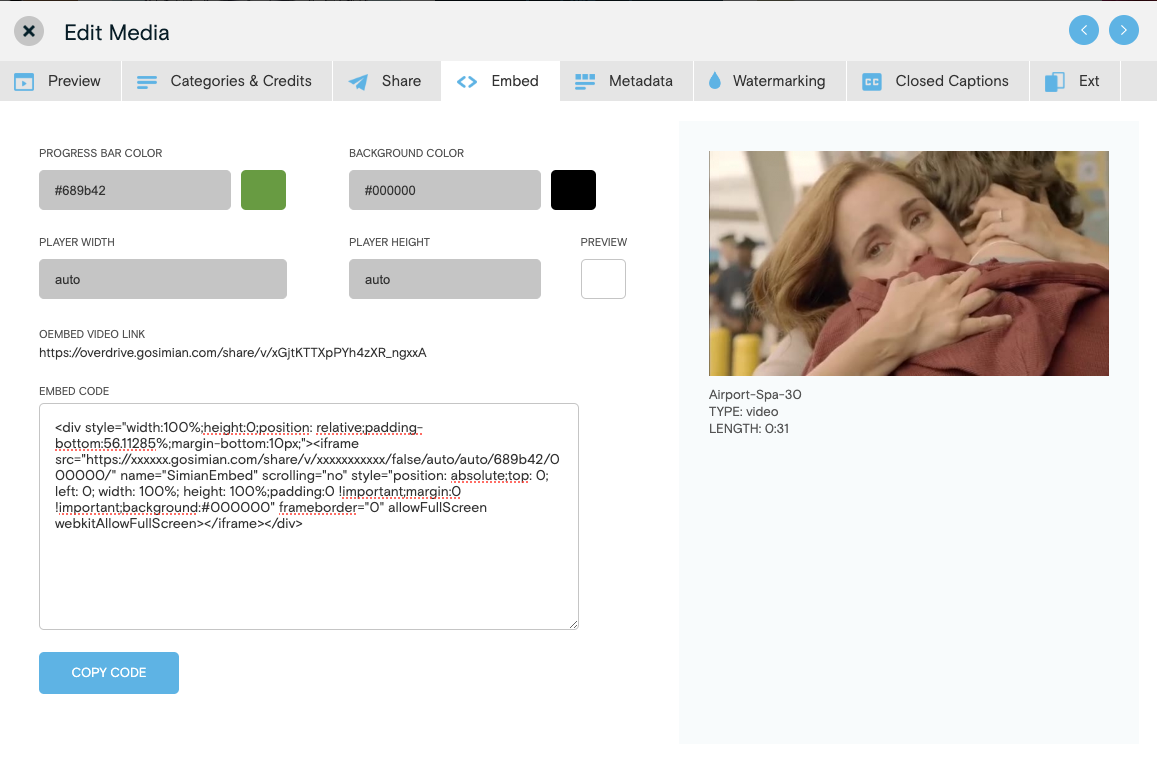
Learn how to embed video for use on websites and press releases.
- Within the Media Library, click the thumbnail of the desired video. This will open a new window.
- Click the Embed tab.
The following settings can be changed:
Color: To change the color of the video player's progress bar and background, enter a hex code or select from the color picker.
Width and Height: Set the player width and height manually or configure the player to be automatically adjust by setting the width and height to Auto.
Preview: The preview checkbox adds a mouseover video preview to the embedded video.
The embed code will automatically update as changes are made. Once customization is complete, click the Copy Code button to copy the embed code to your clipboard.
Keep in mind:
• The player width and height is the size of the uploaded video.
• When scaling the player down the aspect ratio must remain the same.
• Scaling the player up (e.g. 1280x720 to 1960x1080) will cause pixelation.