Learn How to Use Existing Projects as Templates
- From the main Projects screen, click the plus (+) icon to launch the New Project window.
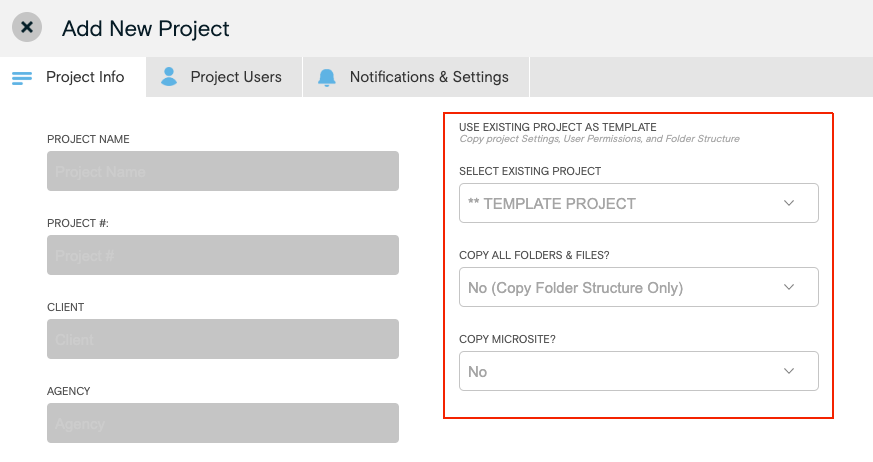
- Under Use Existing Project as Template, select the Project to be replicated from the dropdown menu.
- Select the desired Copy All Folders & Files and Copy Microsite options.
- Click Create Project.