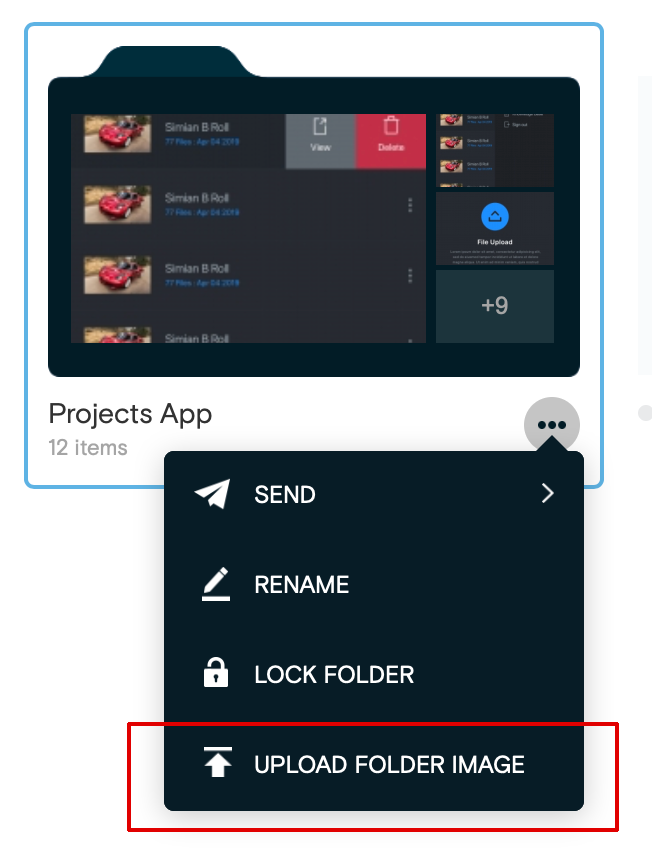
Learn how to change the default project folder icon into a custom image
- From within the Project Dashboard, click the root folder of the project to display all folder icons to the right.
- Mouseover the actions (...) menu near the folder to be changed.
- Click Upload Folder Image from the menu.
- Select a thumbnail image from your computer.
- To remove a custom thumbnail, mouseover the folder and click the X button.
Note: Thumbnail dimensions: 16:9 aspect ratio, max width and height of 384 x 216 px.