Automatically analyze and tag your spots using Simian AI — no manual effort required.
What it does
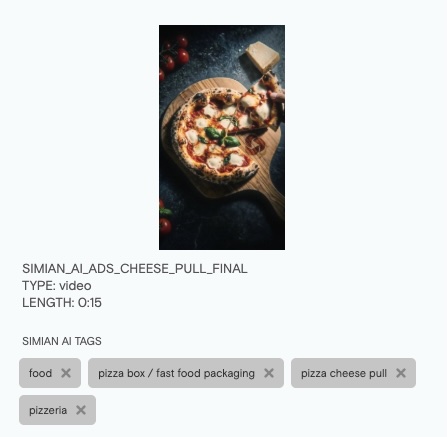
AI Auto-Tagging analyzes the video frames of your spots and generates descriptive semantic tags automatically — things like outdoor, dog, family, fast-cut, product close-up — based on what actually appears in the footage. It uses a computer vision model trained on over 500 visual concepts to identify objects, genres, semantic themes, and recognizable faces (celebrities).
These tags are generated in the background and attached to your spots without any manual input. If enabled, videos are queued for tagging on upload. Over time, as more of your library is processed, AI tags make your spots significantly more discoverable through search.
Objects: Physical items, props, animals, vehicles, and other tangible elements visible in the frame
Genre: Production style and spot type — such as lifestyle, product demo, testimonial, or animation
Semantic: Themes, mood, setting, and contextual meaning — family, outdoor, celebration, urban, and similar
Celebrities: Recognition of notable public figures appearing in the spot
How AI tags differ from your tags
Searching with AI tags
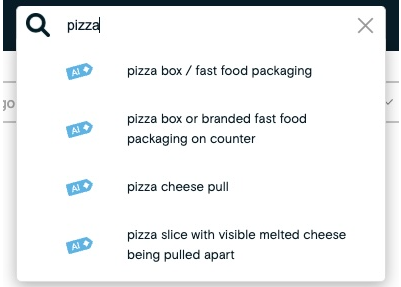
AI tags are integrated into the main search bar. When you search for a term, AI tags are included alongside titles, descriptions, and your regular tags.
Limitations
The AI samples frames at regular intervals throughout the spot. Very brief elements — a quick cut, a half-second reaction shot — may occasionally be missed. Accuracy is strongest on spots with clear, sustained visual subjects.
Availability
AI Auto-Tagging is an account add-on. Contact your account manager or reach out to Simian support to enable it for your account.
Note: Uploaded videos are NOT used for training or enhancing Simian AI machine learning algorithms.